Burned area is the land surface that shifts from living vegetation to charred or ash-covered ground during a fire. Satellites can spot this change because scorched terrain reflects light differently than healthy plants or bare soil.
The goal is to turn pixels into a clean area estimate that people can trust. That means picking the right images, doing careful prep, running clear metrics, and reporting the number with a sense of uncertainty. No magic tricks. Just a tidy workflow that can be repeated.
Data Selection And Timing
Start by choosing a sensor suited to the fire's size and required detail. Landsat offers 30m pixels with a long archive, ideal for historical context. Sentinel-2 provides 10–20m pixels and frequent revisits, helping avoid clouds and smoke. For narrow or patchy burns, finer pixels help. For large fires, 10–30m pixels suffice and ease processing.
Select a pre-fire and post-fire image close in time to limit seasonal changes. Avoid scenes with smoke, haze, snow, or clouds. Aim for clean images from the same sensor to maintain consistent band settings and reduce unnecessary correction.
Preprocessing And Quality Checks
Surface reflectance data should be your default. It removes most atmosphere effects and makes comparisons fair across dates. Clip each image to a sensible boundary, such as a known perimeter or a buffered area around detected hotspots. Apply cloud and shadow masks so you do not classify bright clouds as ash or dark shadows as burn scars. Slopes and sun angle can change brightness in tricky ways on mountains, so consider topographic correction if the terrain is rugged.
Before moving on, scan false color composites that highlight shortwave infrared with near infrared and red. Burn scars often jump out as dark reddish brown patches. If the visual check looks strange, stop and look for common issues like snow, water level changes, or recent plowing in fields. A quick sanity check here saves time later.
Spectral Indices That Flag Burn
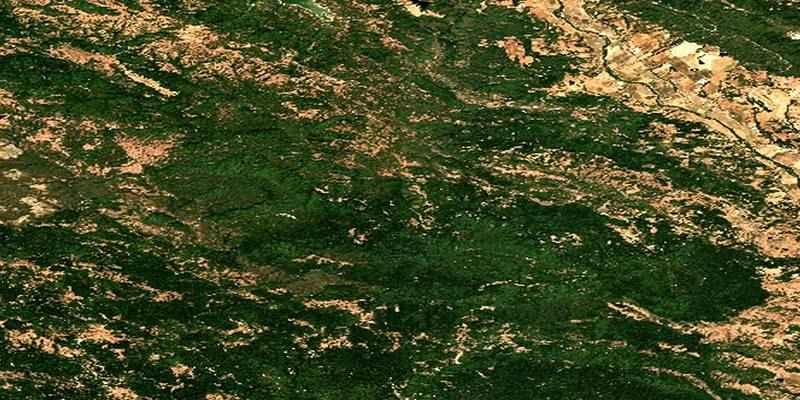
Healthy vegetation reflects strongly in near-infrared and weakly in red. Fire reverses this. Several indices use this contrast. The Normalized Burn Ratio (NBR) combines near-infrared and shortwave infrared to highlight burned areas. Calculate it pre- and post-fire, then subtract to get dNBR. High positive dNBR values usually indicate severe burn.
For areas with fast regrowth or sparse fuels, Relativized dNBR helps by scaling change relative to pre-fire conditions, preventing low vegetation cover from mimicking low burn severity.
NDVI also responds to fire but can saturate in dense forests or react to drought, so it's better for support. SWIR-based indices better separate ash/char from soil, making them more reliable for burn detection. Compute all indices from clean, masked images and clearly track dates.
Classifying Burned And Unburned Pixels
Once you have change layers like dNBR, you need a clean way to separate burned from unburned. A simple approach uses thresholding. You pick a cutoff that best splits the two groups. Start with ranges from peer-reviewed thresholds for similar fuels, then tune with local knowledge. You can also use image-based methods that search for natural breaks in the histogram, so the cutoff is not guessed by eye.
If the scene is complex, a supervised classifier can help. Gather training samples for burned, unburned, and confusing classes like water, rock, and shadows. Use predictors such as dNBR, pre and post-NBR, NDVI change, and raw shortwave infrared bands. A random forest model tends to be stable and quick to train.
Post Processing And Area Calculation
Classification maps are rarely perfect on the first pass. Small speckles can appear from noise or mixed pixels. Apply a modest morphological filter to remove tiny islands and to fill tiny holes. Do not go wild with smoothing, or you will erase narrow burn edges that matter for field crews. If you have access to a reliable fire perimeter, clip the classified raster to that shape.
To get the area, count the burned pixels and multiply by the pixel area. Remember that sensors have different pixel sizes. Landsat pixels cover 900 square meters, while Sentinel-2 at 10 meters covers 100 square meters. If you resampled, use the final grid’s size, not the original. Report the area in hectares and square kilometers since both units are common in fire reports. Keep the math transparent so anyone can reproduce your total.
Accuracy Checks And Reporting Uncertainty
An area value without quality checks is just a guess. Gather validation samples not used in model training. These may come from high-resolution imagery, field photos, or expert interpretation of clean satellite scenes.
Build a confusion matrix showing hits, misses, and false alarms. Calculate the user’s accuracy, producer’s accuracy, overall accuracy, and optionally kappa. Share confidence intervals to communicate uncertainty, not just a single value.
Burn boundaries often contain mixed pixels, which can mislead classifiers. Hand-check edge zones and note if results overestimate (by labeling unburned edges as burned) or underestimate (by trimming too hard). State edge risks plainly and, if possible, run a buffer analysis—expand or shrink the mask by one pixel to show sensitivity in area estimates.
Clear Reporting And Reproducible Workflow

Good reports make choices obvious. List the sensor, dates, band sets, masks, indices, thresholds, and any classifier settings. Include a simple figure that shows pre-fire, post-fire, the change layer, and the final mask. Add the area total with units, the accuracy scores, and a one-paragraph note on limitations. Save your steps in a script or a notebook so the work is repeatable. When a new image with fewer clouds appears, you can rerun the flow and update the figure and totals without guesswork.
Conclusion
Quantifying burned area from satellites is a careful chain of steps that anyone can follow with a bit of patience. Pick two clean dates that bracket the event. Work with surface reflectance and tight masks to keep the data honest.
Use change-focused indices like dNBR to flag likely burn and classify with either a well-chosen threshold or a compact supervised model. Clean the map gently, count pixels with the right grid size, and report the total with accuracy scores and a short note on uncertainty.